

Good Evening,
I hope you are having a great weekend.
We have an exciting update to share.
Bubble Charts: for the Option Data on screen.
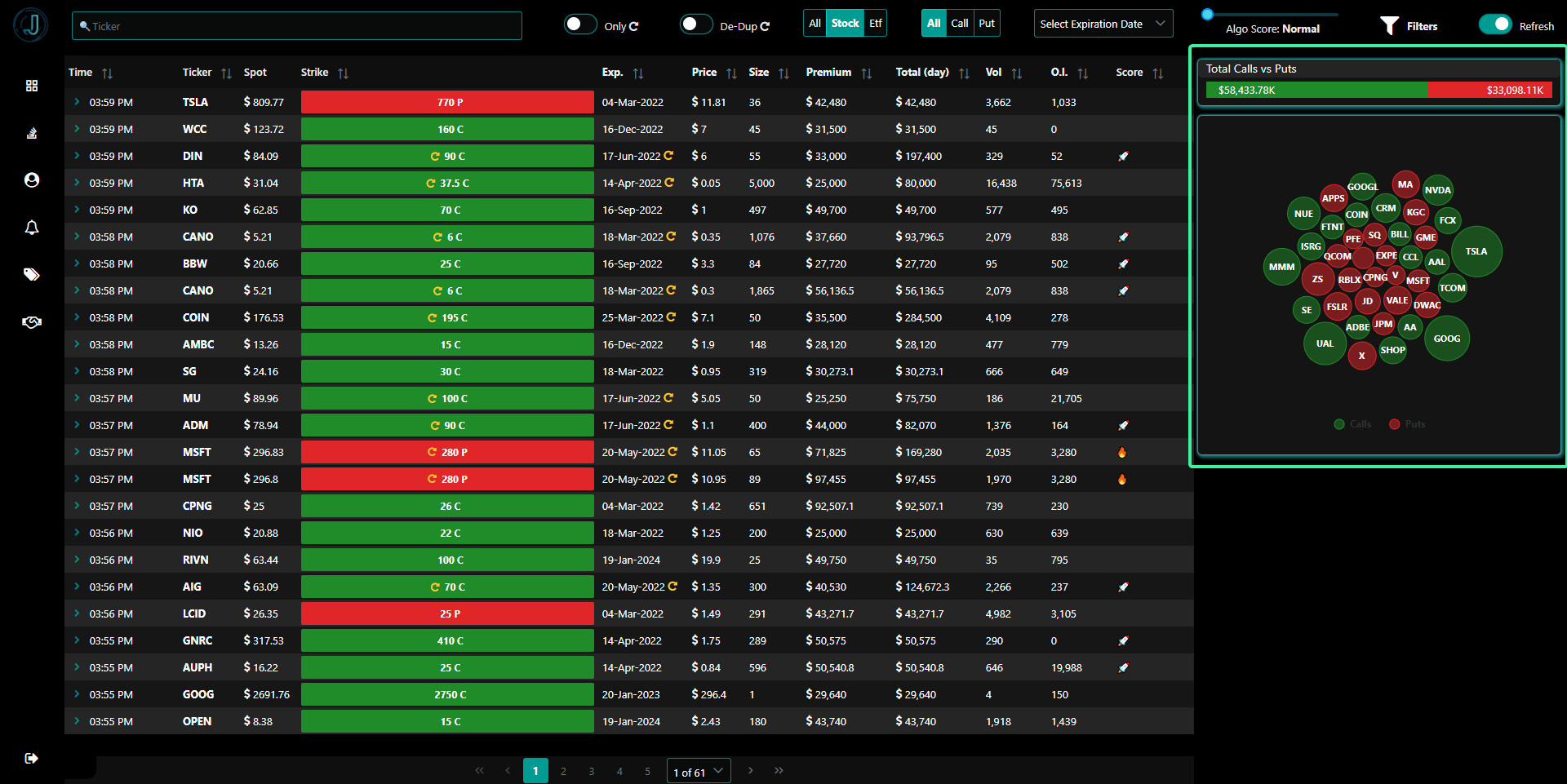
The Bubble chart will update with the data on the screen, meaning you will be able to visualize data after your filters.
Filters:

Filter by :
Ticker : Type the Ticker or the Company or ETF name
Only Repeat Activity : Shows only the Repeat Activity. Repeat means: Same ticker, same Option (Call or Put), same Strike, same Expiration date.
De-Duplicate Repeats: Removed duplicates from the grid.
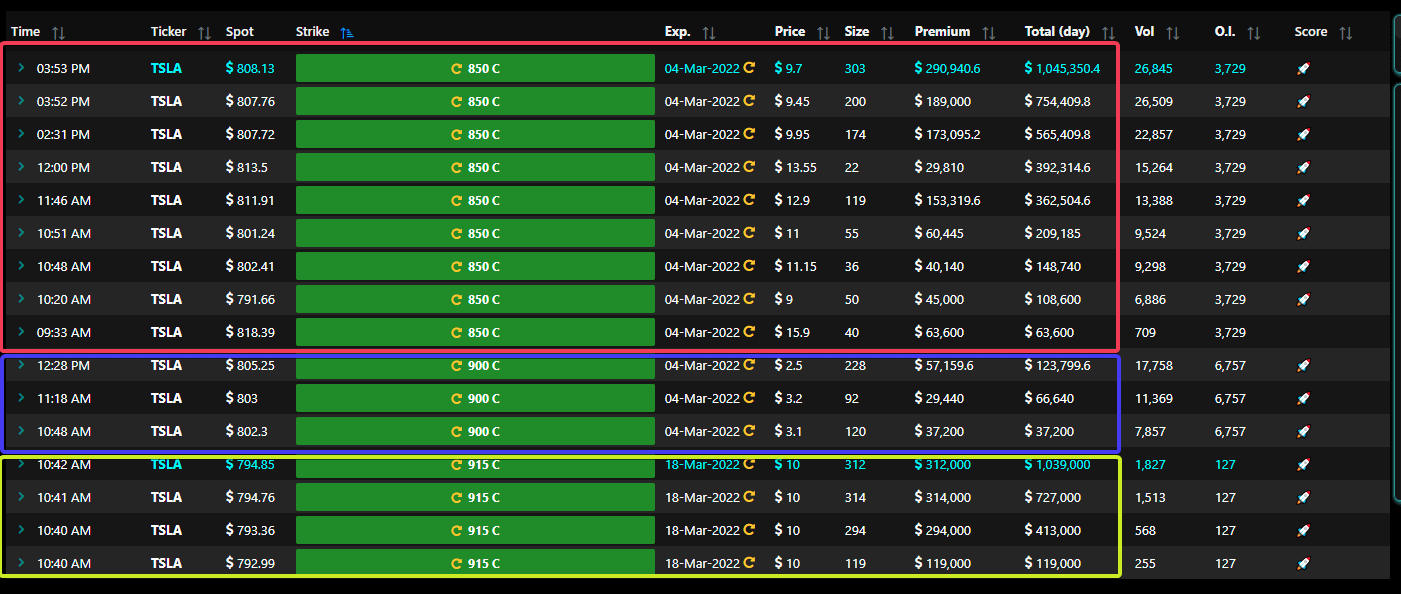
For example: for $TSLA on Friday
850C had 9 rows
900C had 3 rows
915C had 4 rows
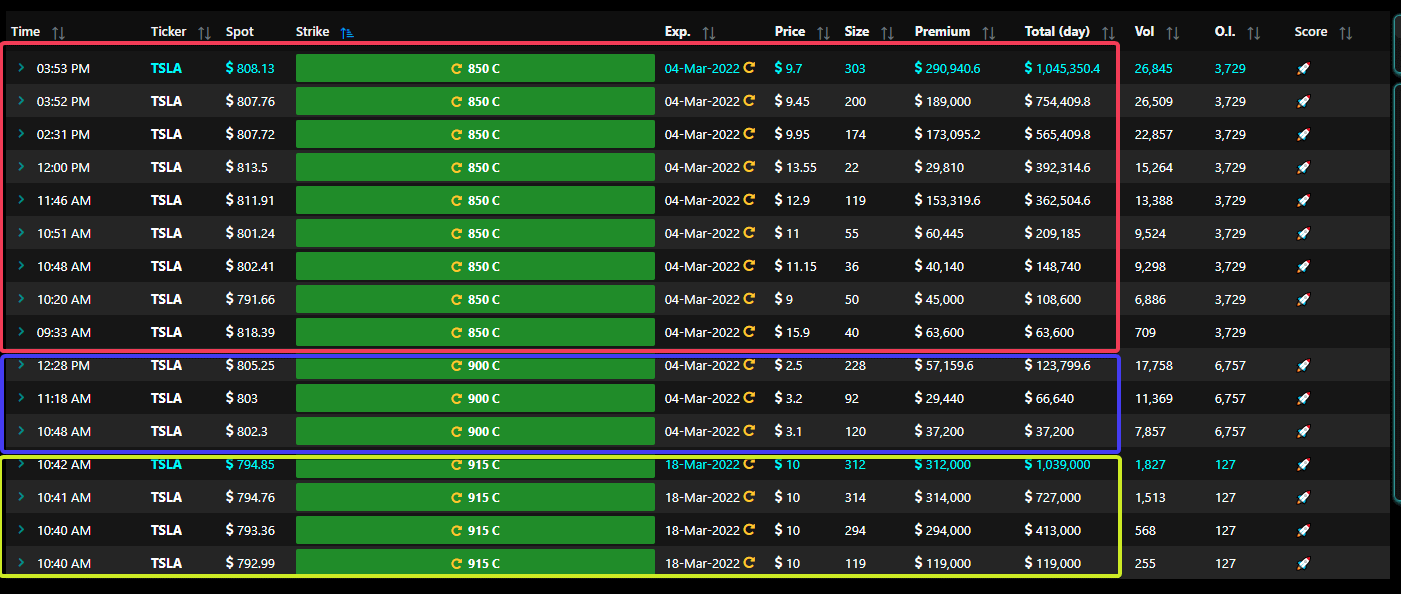
With De-Duplicate filter ON:
You would only see 1 row for each of
850C
900C
915CNote that the Day’s Total is always the most recent.
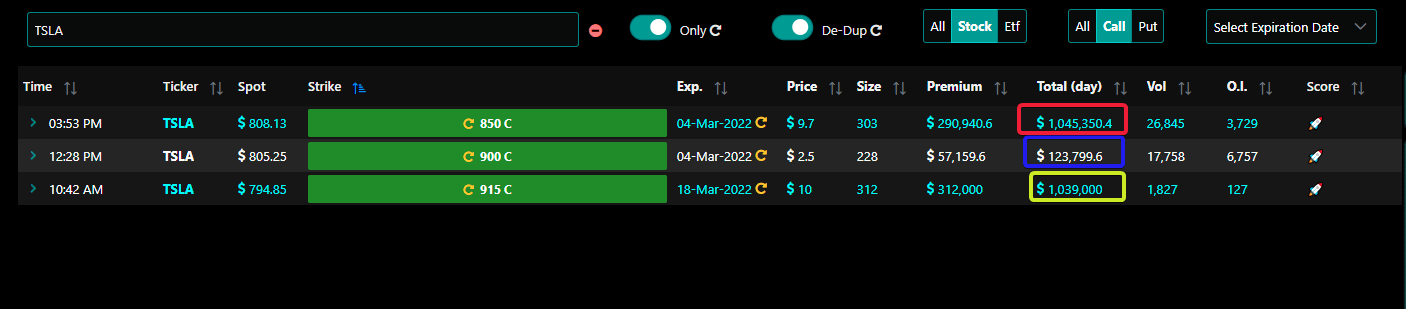
This is away to reduce number of rows on grid and yet not miss the important details.
See only Stock or ETFs or Both
See only Calls or Puts or Both
Expiration Date
Jarvis Algo-Score: Normal, High, Higher, Highest
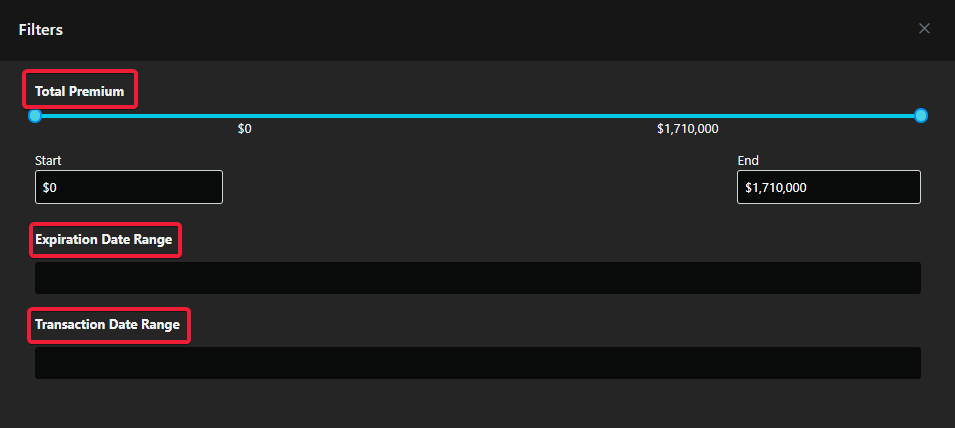
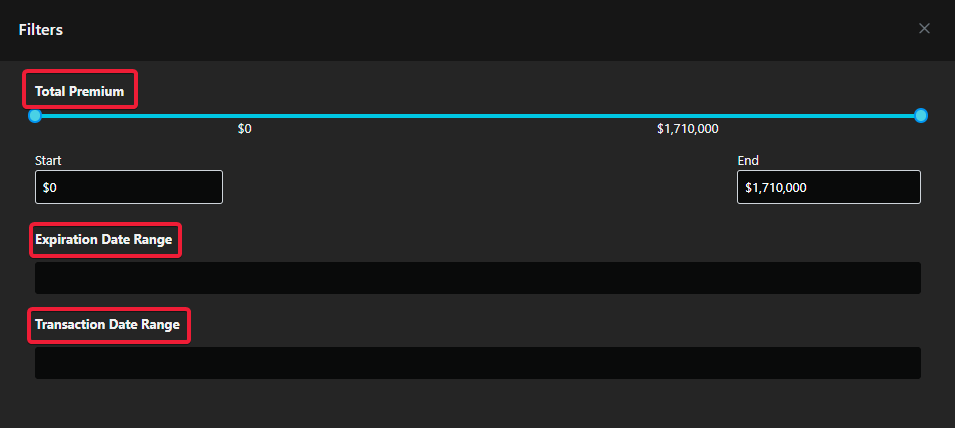
More Filter:
Filter by Total Premiums: Low and High amounts
Expiration Date Range : Filter on expiration dates ranges.
Transaction Date Range : Filter on transaction date ranges. This date corresponds to when the option activity reported.

More cool features are coming to the web app.
Stay tuned for more...